The Family Organizer App That Brings Everyone Together.
Clan Compass is the all-in-one family planner with shared calendar, meal planning, chore management, and smart lists. Navigate family life with confidence and clarity.
✨ Meet Navi, your family's friendly guide
Trusted by families worldwide
Complete Family Organizer Features in One App.
From family calendar to meal planner—everything you need to organize, plan, and navigate family life together.
Family Organizer Dashboard
Your central family organization hub shows everyone's schedule, tasks, and upcoming events at a glance. The smartest way to coordinate your busy family life.
Smart Family Lists
Shared shopping lists, to-do lists, and custom lists that sync across all family members' devices. Never forget an item or task again.
Family Calendar
A shared family calendar that keeps everyone on the same page. Color-coded schedules, event reminders, and seamless synchronization for the whole family.
Recipe Organizer
Organize your family's favorite recipes in one place. Search, save, and share recipes with built-in ingredient scaling and cooking timers.
Family Meal Planner
Plan weekly meals for your family with our intuitive meal planner. Automatically generate shopping lists from your meal plans and reduce food waste.
Birthday & Event Tracker
Never miss a family birthday or important date. Automated reminders for birthdays, anniversaries, and special family occasions.
Family Schedule Planner
Create daily and weekly timetables for your entire family. Manage school schedules, work hours, and extracurricular activities all in one place.
Personal Tracker
Track what matters to you. Create custom tracking streams for habits, health metrics, mood, finances, and more. Visualize your progress with beautiful charts and gain insights from your data.
Chore Tracker & Manager
Assign household chores to family members with our smart chore tracker. Fair rotation schedules and completion tracking keep your home running smoothly.
Family Rewards System
Motivate kids with a built-in rewards and points system. Set family goals, track achievements, and celebrate milestones together.
Family Activity Planner
Discover and plan quality family activities. From weekend outings to game nights, organize memorable experiences that bring your family closer.
Family Member Profiles
Personalized profiles for each family member with age-appropriate access controls. Everyone gets their own customized family organizer experience.
API & Integrations
Connect Clan Compass with your favorite apps and services. Our developer-friendly API enables seamless integration with your digital ecosystem.
The Best Family Organizer for Modern Families.
Clan Compass combines a family calendar, meal planner, chore tracker, and task manager into one beautiful app. Whether you're organizing a family of three or coordinating multiple households, our family planner adapts to your needs.
Stop juggling multiple apps and sticky notes. Get the complete family organization solution that actually works for real families living busy lives.
Get Organized TodaySay hello to Navi.
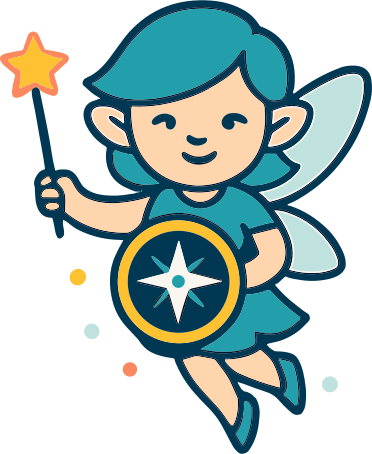
Your family's friendly navigator and guide.
Navi is here to help your family find its way. Whether you're planning your week, discovering new recipes, or celebrating milestones, Navi guides you with helpful tips, gentle reminders, and encouragement along the journey.
Why Choose Clan Compass as Your Family Organizer?
The complete solution for family organization, planning, and coordination.
All-in-One Family Planner
Replace multiple apps with one comprehensive family organizer. Family calendar, meal planner, chore tracker, and task lists—all seamlessly integrated in one beautiful interface.
Shared Family Calendar
Keep everyone synchronized with a powerful shared family calendar. Color-coded events, automatic reminders, and real-time updates ensure your family never misses important moments.
Smart Meal Planning
Our intelligent meal planner helps you plan weekly meals, generate shopping lists automatically, and manage your family's recipes. Save time and reduce food waste with smart meal organization.
Ready to organize your family life?
Join thousands of families using Clan Compass as their go-to family organizer, calendar, and planner.
Frequently Asked Questions About Our Family Organizer
Everything you need to know about Clan Compass family planner app.
🏠 Is Clan Compass a family organizer app?
Yes! Clan Compass is an all-in-one family organizer app that helps families manage their daily lives. It combines a shared family calendar, meal planner, chore tracker, task lists, and more into one convenient platform. Instead of juggling multiple apps and paper calendars, families can coordinate schedules, plan meals, assign chores, and stay organized in one centralized location.
👥 How many family members can use the family planner?
Our free Explorer plan supports up to 4 family members. The Navigator plan supports unlimited family members, making it ideal for larger families or extended family groups who want to stay coordinated and organized together.
📱 Does Clan Compass work on mobile devices?
Absolutely! Clan Compass is available on web, iOS, and Android. Your family's calendar, meal plans, chores, and tasks sync automatically across all devices, so you can access your family organizer from your phone, tablet, or computer.
💰 Is there a free family organizer plan?
Yes! We offer a free Explorer plan that includes our family organizer dashboard, basic family calendar, meal planning for up to 25 recipes, shared lists, and chore tracking for up to 4 family members. It's perfect for getting started with family organization at no cost.
📅 How does the family calendar work?
Our shared family calendar allows all family members to view and add events in real-time. Each person can have their own color-coded schedule, and everyone stays updated when changes are made. You'll receive automatic reminders for upcoming events, and the calendar syncs across all devices so your family is always on the same page.
🔗 Can I connect Clan Compass with Google Calendar, Outlook, or Apple Calendar?
Yes! Clan Compass supports two-way calendar integration with Google Calendar, Microsoft Outlook, and Apple Calendar. You can import calendars from these services (including work, school, and sports team calendars), and changes made in the original calendar will automatically sync to Clan Compass within an hour. You can also share your Clan Compass calendar to these platforms - any updates you make will be immediately available via our API, and will appear in the receiving calendar when it checks for updates.
🔄 Can I share my Clan Compass calendar with people outside my family?
Absolutely! You can generate shareable calendar links to share your Clan Compass calendar with anyone - teachers, coaches, babysitters, or extended family. You can control what information is shared by filtering which events to include, and share links work with any calendar app that supports iCal/ICS format including Google Calendar, Outlook, and Apple Calendar.
🔁 How do I set up recurring events?
When creating or editing an event, click on the 'Recurrence' option. You can set events to repeat daily, weekly, monthly, or yearly. You can also customize the pattern (like every other week, or every Monday and Wednesday) and set an end date for the recurrence.
⏰ Can I set reminders for calendar events?
Yes! When creating or editing an event, you can add multiple reminders. Choose when you'd like to be reminded (5 minutes, 1 hour, 1 day before, etc.) and how you'd like to be notified. All family members who are attending the event will receive the reminders.
🍳 How do I add a new recipe?
Click the 'Add Recipe' button on the Recipes page. You can enter the recipe name, ingredients with quantities, step-by-step instructions, prep time, cook time, and servings. You can also add a photo and categorize the recipe by course (breakfast, lunch, dinner, dessert, etc.).
🌐 Can I import recipes from websites?
Yes! Many recipe websites can be imported directly. Look for the 'Import from URL' option when adding a recipe. Paste the recipe URL and we'll automatically extract the ingredients and instructions for you. You can then edit and customize as needed.
🗂️ How do I organize my recipes by category?
Each recipe can be assigned to a course category (Breakfast, Lunch, Dinner, Dessert, Snacks, etc.). You can filter and view recipes by category from the Recipes page. This makes it easy to find the perfect dish when planning meals.
⚖️ Can I scale recipe servings?
Yes! When viewing a recipe, you can adjust the serving size and all ingredient quantities will automatically scale proportionally. This is perfect for cooking for different group sizes or meal prepping.
🍽️ Can I use Clan Compass as a meal planner?
Yes! Clan Compass includes a comprehensive meal planner feature. You can plan your weekly meals, store unlimited recipes, and automatically generate shopping lists based on your meal plans. The meal planner helps reduce food waste, saves time on meal planning, and makes grocery shopping more efficient for busy families.
📆 How do I plan meals for the week?
Go to the Meal Planner page and click on any day to add a meal. You can assign recipes from your collection or create quick meal notes. Plan breakfast, lunch, dinner, and snacks for each day of the week. Once planned, you can generate a shopping list from all your meal ingredients.
🛒 Can I generate a shopping list from my meal plan?
Yes! Once you've planned your meals for the week, click 'Generate Shopping List' to automatically create a list of all ingredients needed. The system combines duplicate ingredients and organizes them by category. You can then edit the list, check off items as you shop, and sync it across all family members' devices.
📝 How do shared lists work?
All lists in Clan Compass are automatically shared with your family. When anyone adds, checks off, or removes an item, it updates in real-time for everyone. This is perfect for grocery shopping, to-do lists, packing lists, and more.
📋 Can I create different types of lists?
Yes! You can create unlimited custom lists and organize them into categories. Common examples include grocery lists, to-do lists, packing lists, wish lists, and project lists. Each list can have its own category icon for easy identification.
↕️ Can I reorder items in a list?
Absolutely! You can drag and drop items to reorder them within a list. This is helpful for organizing your shopping list by store layout or prioritizing tasks by importance.
✅ How do I assign chores to family members?
On the Chores page, create a new chore and assign it to specific family members. You can set the due date, frequency (one-time, daily, weekly), and point value. Family members will see their assigned chores on their dashboard and can mark them complete when done.
🔂 Can I set up recurring chores?
Yes! When creating a chore, select the recurrence pattern. You can set chores to repeat daily, weekly, or monthly. This is perfect for regular tasks like 'Take out trash every Tuesday' or 'Clean room weekly'.
🔄 How does the chore rotation work?
You can create rotating chore schedules where tasks automatically reassign to different family members. Set up the rotation pattern, assign the family members, and the system will automatically cycle through them on the schedule you specify.
🏆 How does the rewards system work?
Family members earn points by completing chores and tasks. Parents can create rewards that can be redeemed for specific point values. This gamifies household responsibilities and motivates children to participate in family tasks.
💵 Can I set up allowances for my children?
Yes! You can set up weekly or monthly allowances for each child. Track their balance, view transaction history, and manage withdrawals. You can also tie allowances to chore completion if desired.
🎁 How do kids redeem rewards?
Children can browse available rewards and submit redemption requests. Parents receive notifications and can approve or deny the request. Once approved, the points are deducted from the child's balance.
✉️ How do I invite family members?
Go to Settings > Family Members and click 'Invite Member'. You can send an invitation via email with a unique invite link. The recipient creates their account using the link and automatically joins your family.
👨👩👧👦 Can I have multiple families in one account?
Currently, each user account belongs to one family unit. If you need to manage multiple families (like a blended family situation), you can create separate accounts and use family invitations to connect the appropriate members.
🎭 What are family roles and permissions?
Family members can have different roles (Parent, Child, Caregiver, etc.) with specific permissions. For example, parents typically have full access to all features, while children may have restricted access. You can customize permissions for each role to match your family's needs.
🔐 How do you protect my family's data?
Your family's data is completely isolated and can never be accessed by any other family using Clan Compass. We use what's called "data isolation" to keep each family's information in its own secure vault.
How It Works:
Every piece of information you create—calendars, recipes, meal plans, photos, lists—is tagged with your unique family ID. When you log in, our system only loads data that belongs to YOUR family. Multiple safeguards prevent another family's information from appearing in your account.
Multiple Checks on Every Request:
Every time you view a calendar event, save a recipe, or check a list, our servers verify that the data belongs to your family before showing it to you. If someone somehow tried to access another family's data (which would require knowing their unique IDs), our system would immediately block it and log the attempt.
AES-256 Encrypted Transmission:
All data transmitted between your device and our servers is encrypted using AES-256 encryption—the same standard used by governments and major corporations worldwide. This means even if someone intercepted the data in transit, they would only see scrambled, unreadable information.
Think of it like living in an apartment building: even though thousands of families might use Clan Compass, each family has their own locked apartment that only they can access. Your neighbors can't peek into your space, and you can't peek into theirs. Your family's private moments, schedules, and memories stay private.
🔑 Is my password secure?
Yes! Passwords are hashed using bcrypt, a one-way encryption algorithm. This means we never store your actual password - only a secure hash. Even our staff cannot see your password. We also support Multi-Factor Authentication (MFA) for an extra layer of account security.
🔐 How do I change my password?
Go to Settings > Account and click 'Change Password'. You'll need to enter your current password and then your new password twice to confirm. For security, you'll be logged out of all devices and need to sign in again with your new password.
🎨 Can I customize the app theme or colors?
Yes! On the Navigator plan, you can customize themes and colors. Go to Settings > Appearance to choose from preset themes or create your own color scheme. You can also assign custom colors to each family member for easy identification on shared calendars.
🛡️ How do I enable Multi-Factor Authentication?
Go to Settings > Security and click 'Enable MFA'. You'll scan a QR code with your authenticator app (like Google Authenticator or Authy) and enter the 6-digit code to verify. Save your backup codes in a safe place in case you lose access to your authenticator app.
📦 Can I export my family data?
Yes! You can export your family's data at any time. Go to Settings > Data & Privacy and click 'Export Data'. You'll receive a download link with all your calendars, recipes, lists, and other information in standard formats (CSV, JSON, iCal).